Flambeau
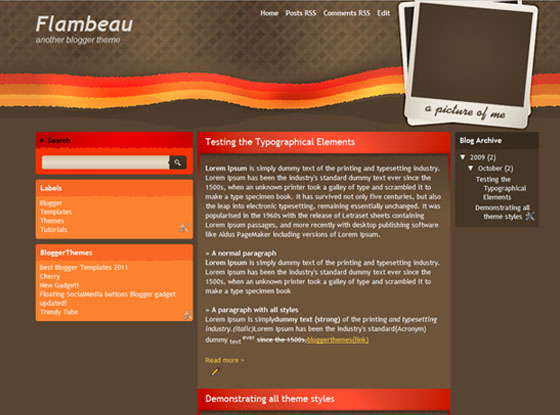
After I released the Designstudio blogger theme many of my readers asked me for a blogger theme which can show their photos in style!.So here it is guys and this theme mostly suitable for Personal,Design and Fashion blogs.

After I released the Designstudio blogger theme many of my readers asked me for a blogger theme which can show their photos in style!.So here it is guys and this theme mostly suitable for Personal,Design and Fashion blogs.
| Author | Blogger Themes |
|---|---|
| Designer | Free Theme Layouts |
| Downloads | 4749 |


How do you ad your photo??
read the comment by claudia
http://btemplates.com/2009/10/24/flambeau/
She says to find the polaroid.jpg image. Where is it?
@cary
GoTo>layout>EditHtml and find the Polaroid.jpg and edit it via photoshop or other.then uppload the image and replace the default URL with your new polaroid.jpg
Okay…showing my ignorance…sorry about that but here goes. I’m not very well schooled on photo-editing. I do not have Photoshop but I do have Photoshop Elements. How do I merge the two pictures? (My photo on top of the polaroid.) Once I’ve done that, how to I create a new URL for that image? Sorry for the ineptness but I love this template and refuse to give up! Any help you can give me would be so appreciated.
I figured it out!!! Thanks much!
hi asker how do i replace the polaroid im not so familiar with photoshop any help would do ty and btw i love the layout! =)
very nice colour of this templete
thanks