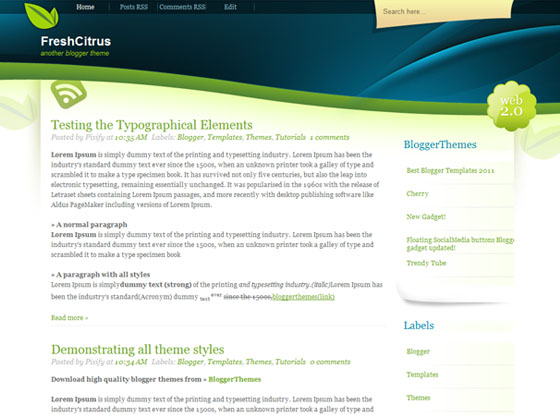
A fresh and friendly theme for any kind of blogs.
keren
its so great n nice looking
How do I change the menu bar links?
The background has been completely removed from this template. Check my blog here: http://www.amhealthbenefits.blogspot.com
Never mind. I downloaded the template again and saw that the image source for the background had changed to http://www.freethemelayouts.com/blog/wp-content/themes/freshcitrus/images/bg.jpg You might want to add that on this site somewhere because someone else probably doesn’t have a background right now.
Also thanks for the explanation on changing the menu
@Ann the theme has been updated
aw aw aw aw
please,i am trying to change the menu bars but it’s not working,how do i do it?
Name (Required)
Mail (will not be published) (Required)
Website



keren
its so great n nice looking
How do I change the menu bar links?
The background has been completely removed from this template. Check my blog here: http://www.amhealthbenefits.blogspot.com
Never mind. I downloaded the template again and saw that the image source for the background had changed to http://www.freethemelayouts.com/blog/wp-content/themes/freshcitrus/images/bg.jpg
You might want to add that on this site somewhere because someone else probably doesn’t have a background right now.
Also thanks for the explanation on changing the menu
@Ann the theme has been updated
aw aw aw aw
please,i am trying to change the menu bars but it’s not working,how do i do it?